/
Credit Card Refund (WinApp)
Credit Card Refund (WinApp)
- Alger Alama
- Rose Eliff (Unlicensed)
Owned by Alger Alama
Last updated: Nov 01, 2021 by Rose Eliff (Unlicensed)Version comment
Summary
Checks paid with a credit card payment and finalized can be reopened and refunded.
Workflow
- Go to Check Search on Location Menu.
- Search for and reopen the closed check you wish to refund - Reopen a closed check (Win App)
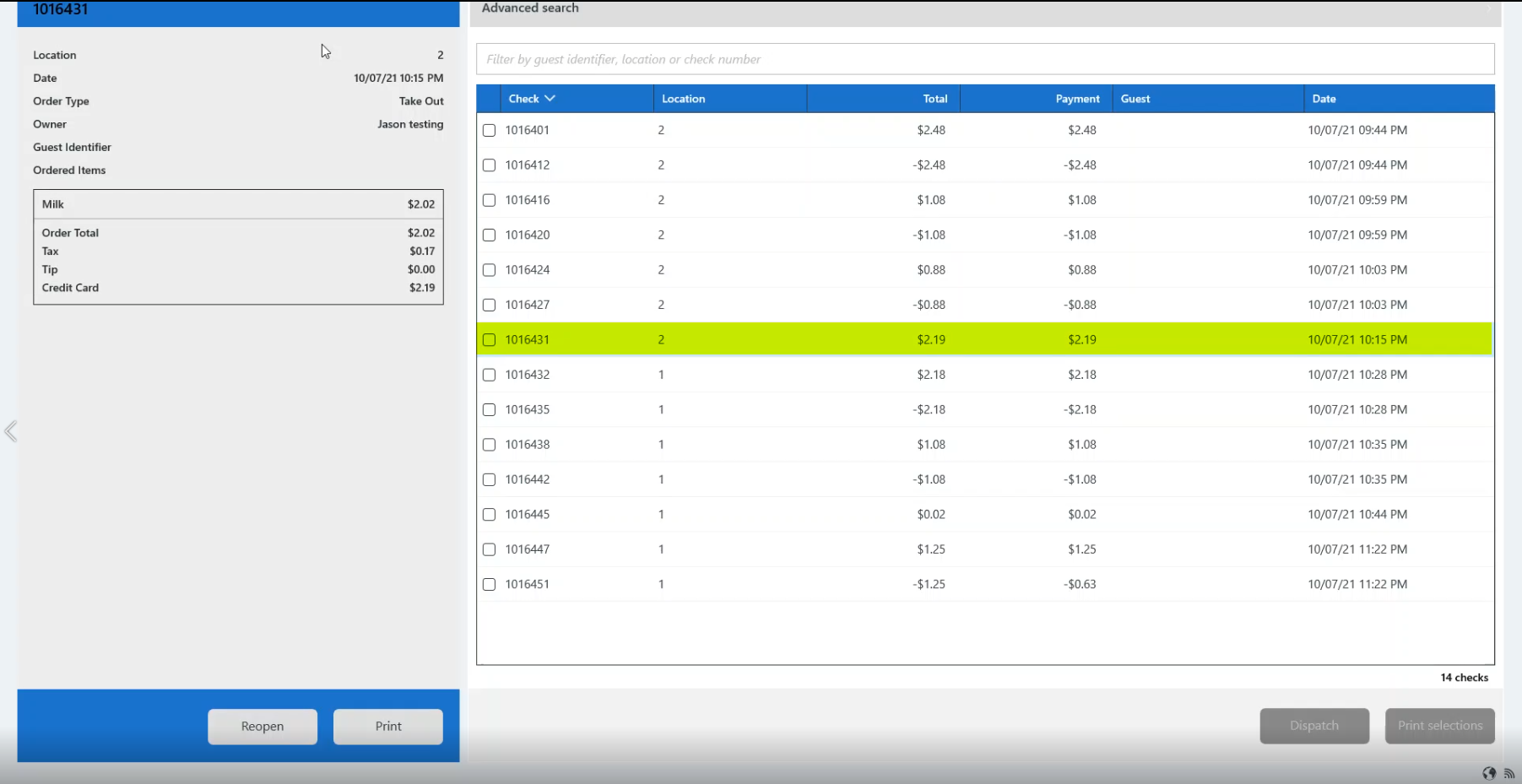
- Verify check number and amount to be refunded to credit card.
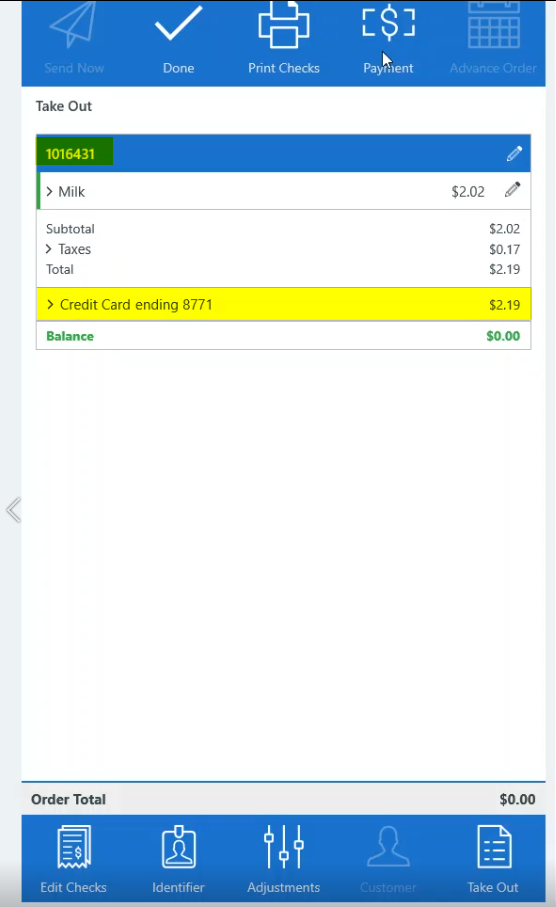
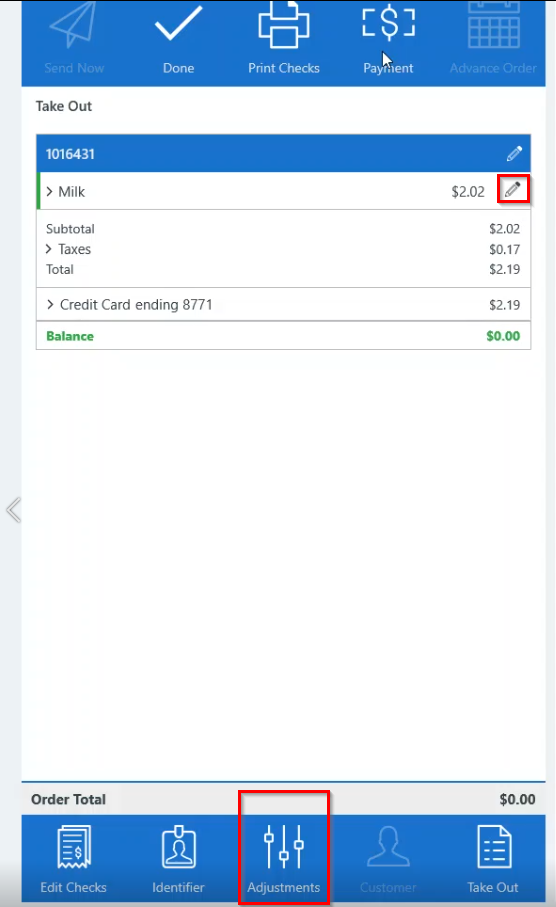
- Tap Adjustments at bottom of the check panel or click the edit (pencil) icon to display the flyout menu and tap Adjustments to adjust check.
- Adjustments screen displays the check and credit card information.
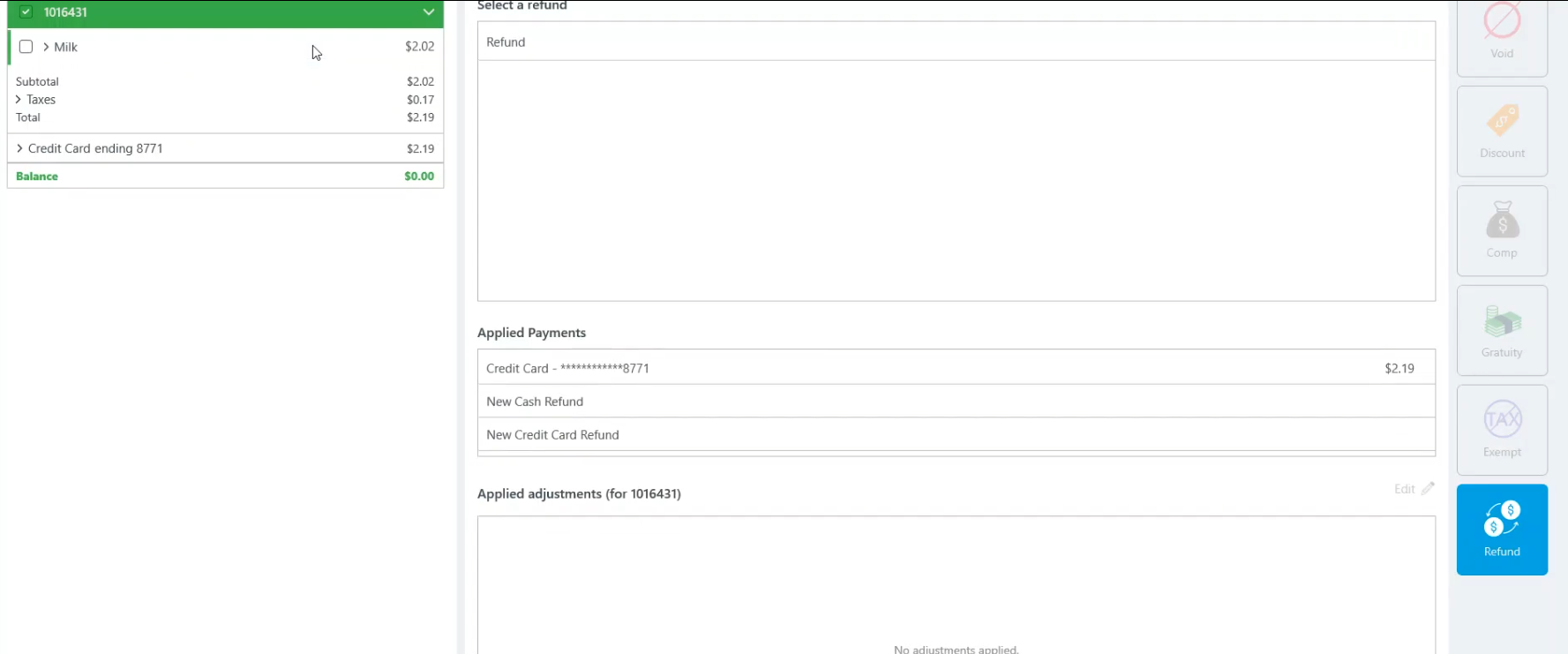
- VerifyRefund is selected.
- Under Applied Payments, select the credit card information to be refunded.
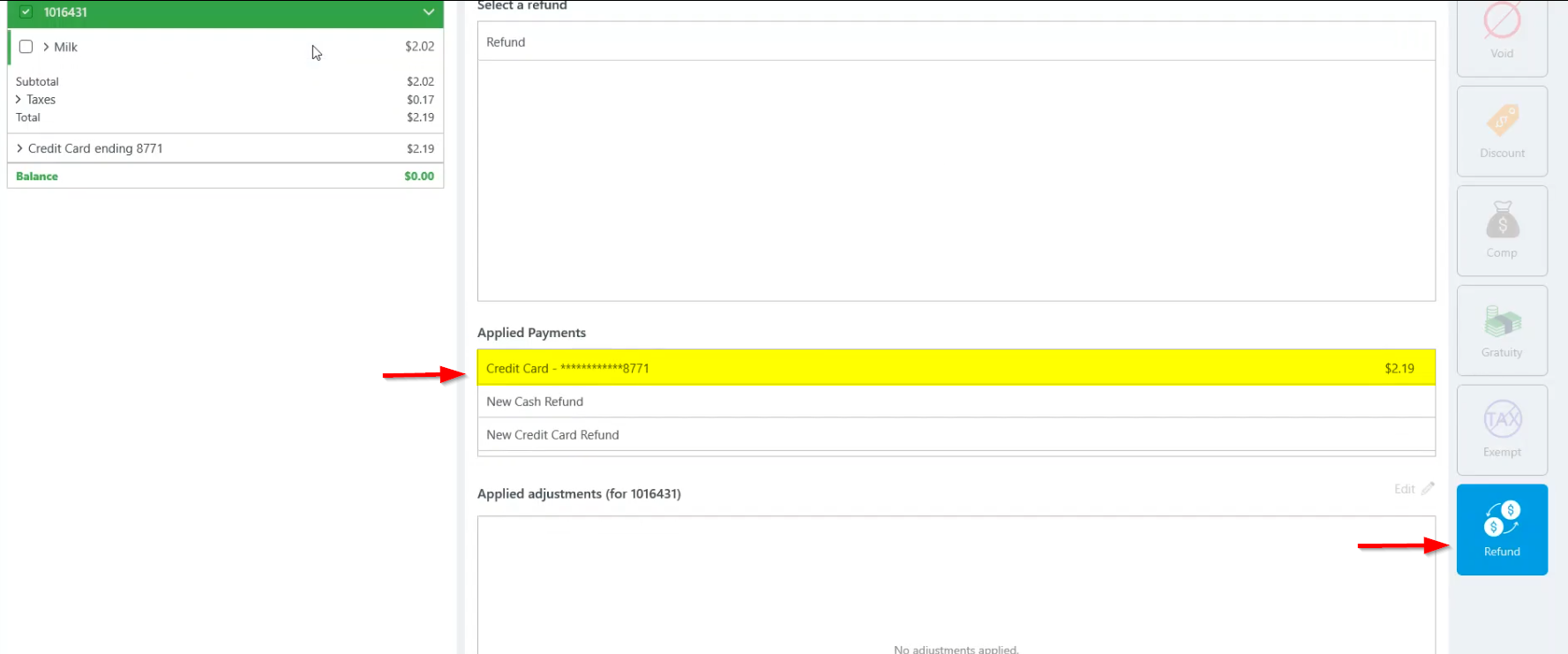
- In the check panel at left, verify the credit card refund under the Payments section.
- In the center panel, verify the Pending amount payment information to be refunded.
- Tap Apply payment once all refund payment data has been verified.
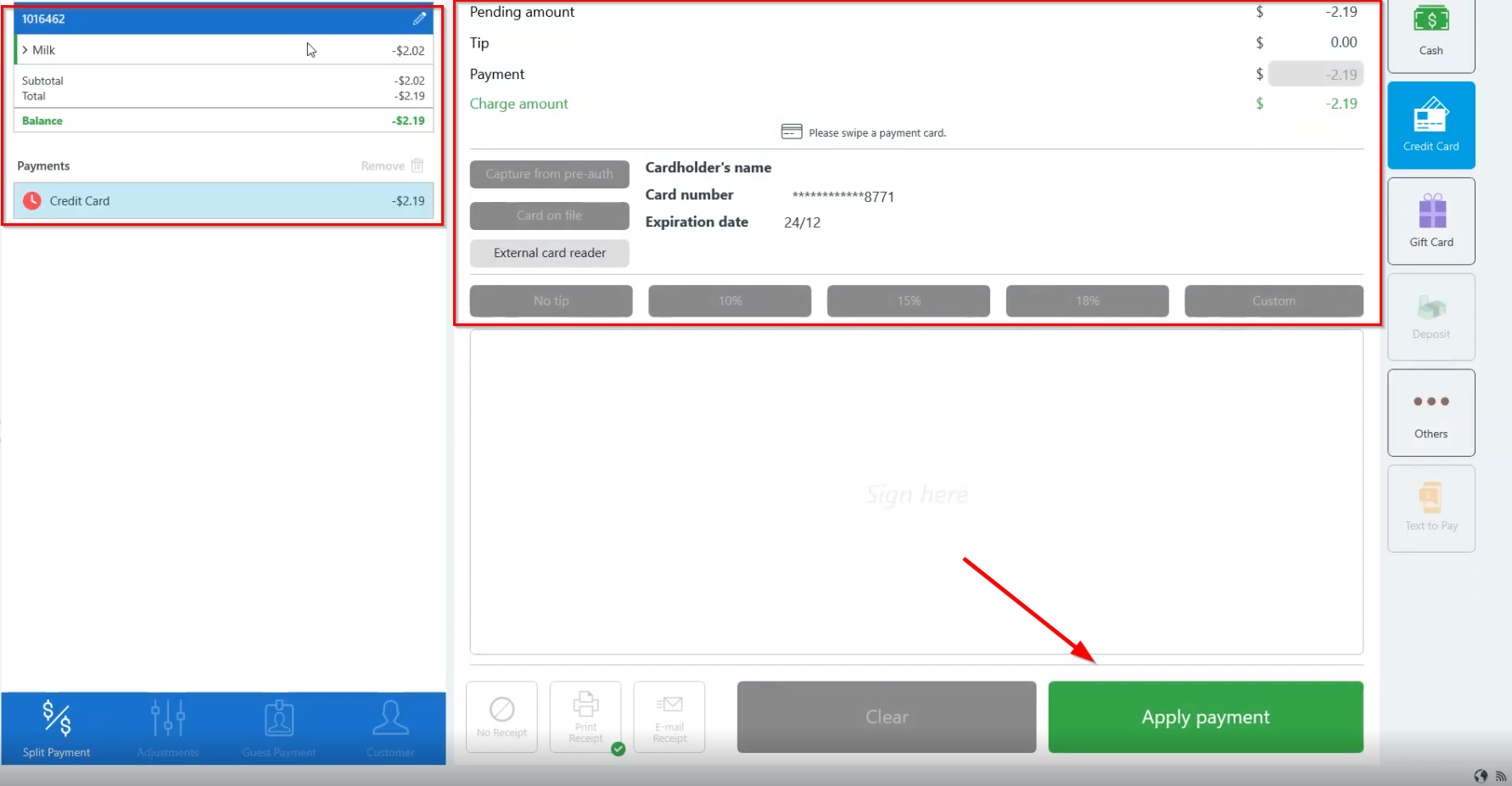
- Check panel at left displays negative amounts for the refund and shows the last four digits of the credit card the refund is applied to.
- Payments section displays refund amount applied to credit card.
- Tap Finalize to complete transaction and close check.
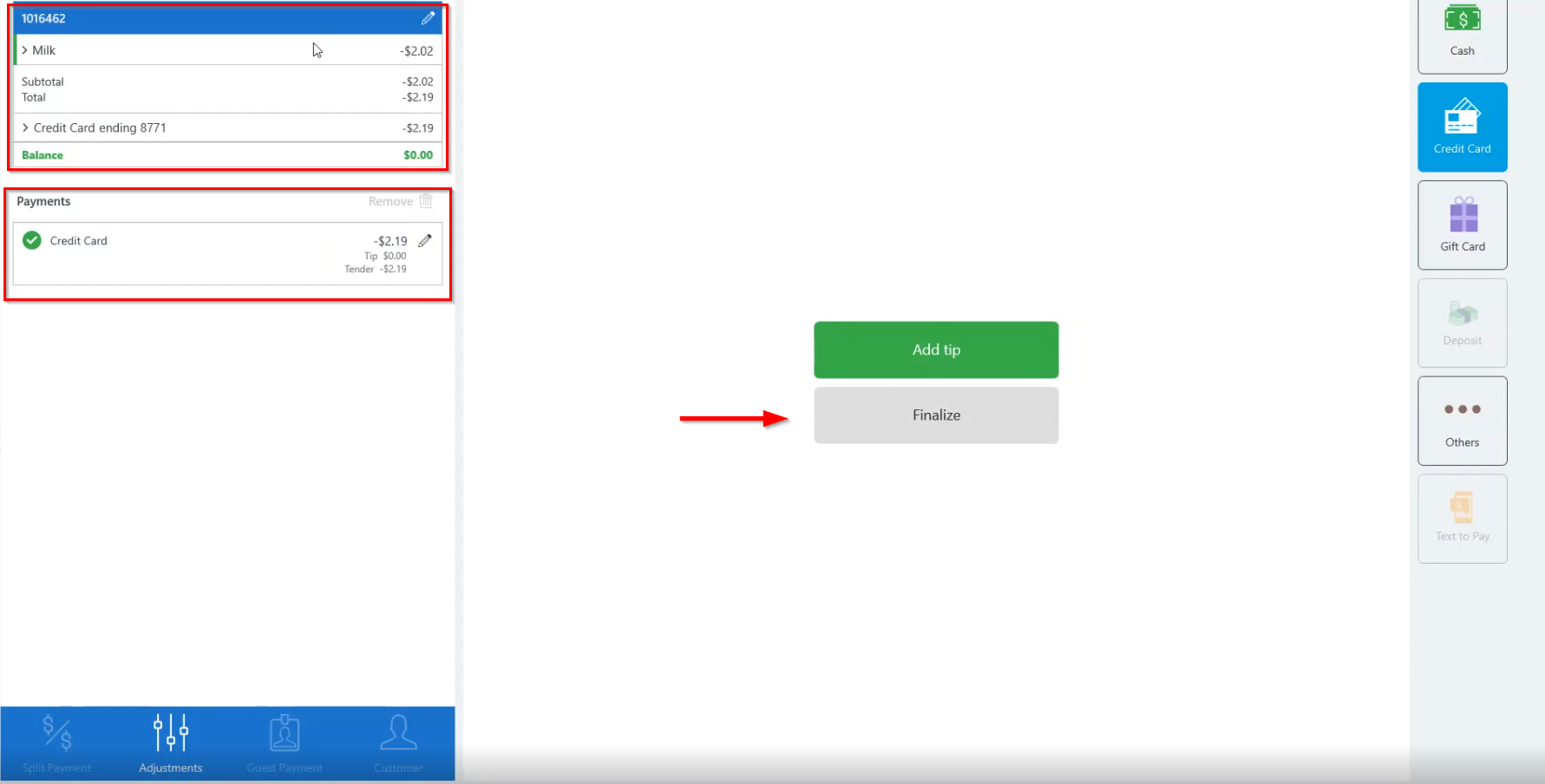
- Completed.
, multiple selections available,
Related content
Refund a Credit Card
Refund a Credit Card
More like this
Site Token Revoke Procedure
Site Token Revoke Procedure
Read with this
Payment
Payment
Read with this
Refund a closed check
Refund a closed check
More like this
Perform a General Refund (Overring)
Perform a General Refund (Overring)
More like this
Reopen a closed check (Win App)
Reopen a closed check (Win App)
More like this