/
Gift Card Inquiry (WinApp)
Gift Card Inquiry (WinApp)
- Alger Alama
- Rose Eliff (Unlicensed)
Owned by Alger Alama
Last updated: Oct 20, 2021 by Rose Eliff (Unlicensed)Version comment
Summary
Check the balance remaining on a gift card using Card Inquiry on the Location Menu.
Workflow
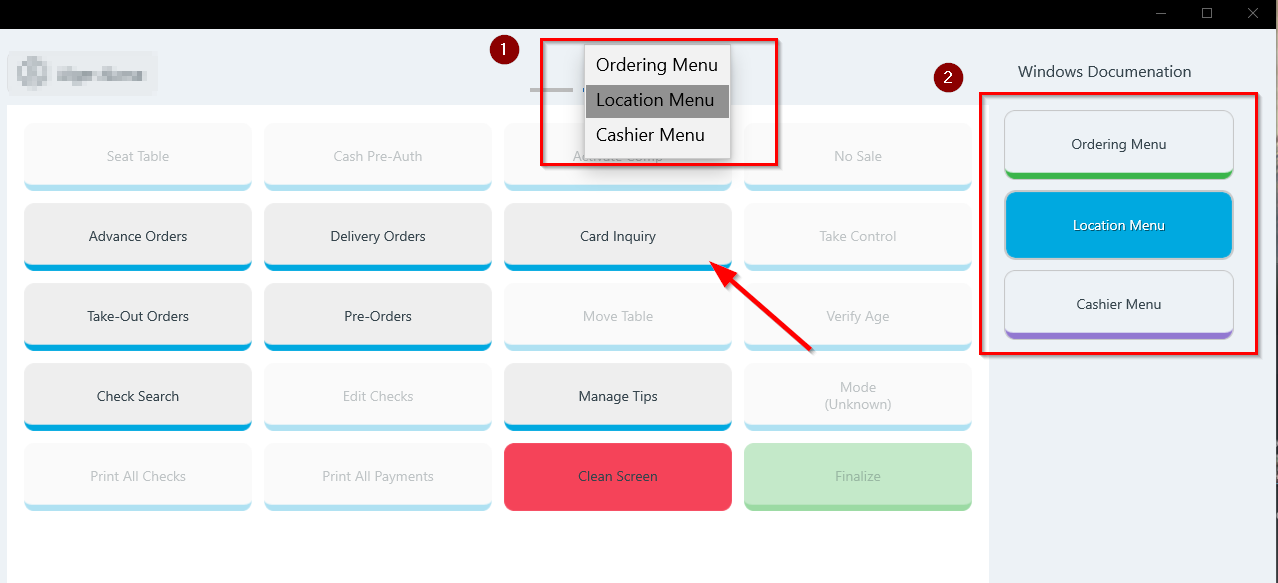
- Go to the Location Menu. (Either select from the drop-down in the header or swipe right from the Ordering Menu.)
- Tap Card Inquiry.
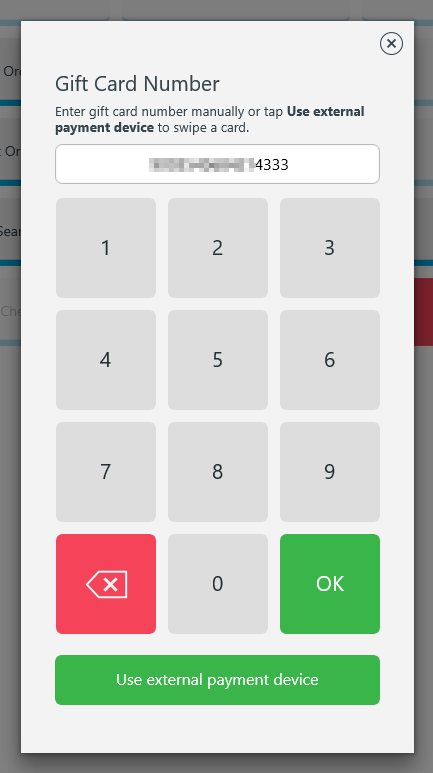
- The Gift Card Number page with keypad will open.
- Swipe the gift card on the payment device or enter the gift card number manually.
- Tap OK.
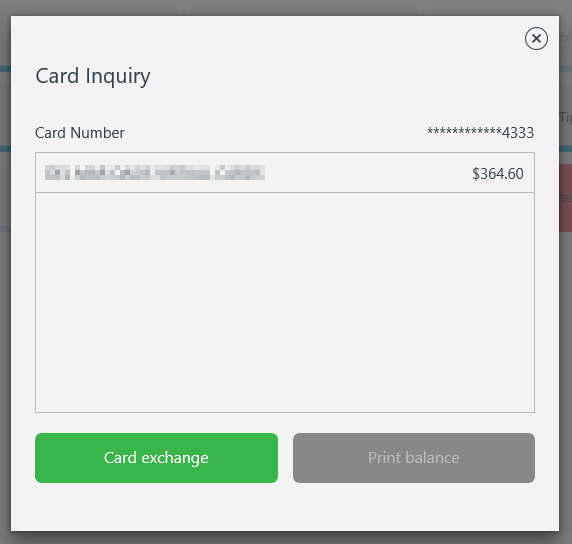
- Remaining balance will be shown on screen.
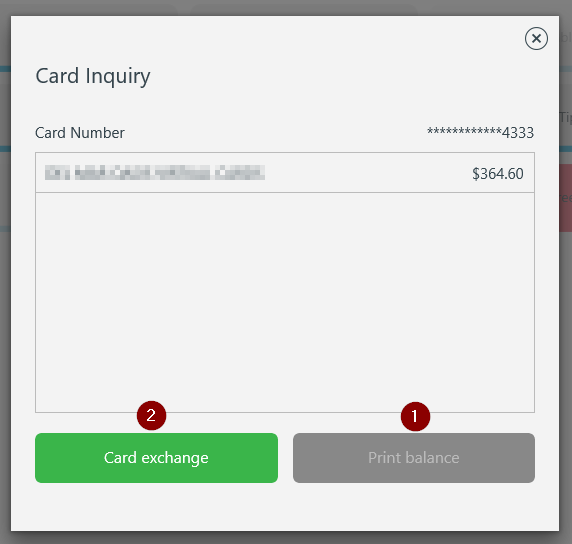
- Tap Print Balance to print receipt showing the remaining balance on the gift card.
- Tap Card exchange to transfer gift card information from an existing gift card to a new gift card.
Card Exchange
The balance of an existing card can be transferred to a new card by performing a card exchange.
- The original card number will be shown on the Card Exchange screen.
- Enter the card number of the new gift card.
- Tap Exchange
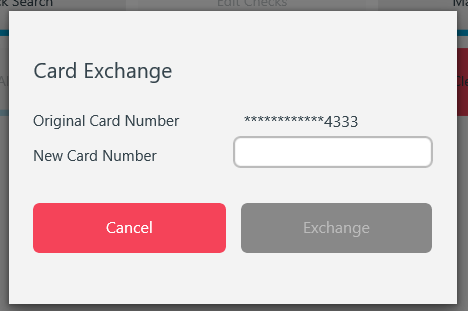
- The balance of the existing gift card will be transferred to the new gift card.
, multiple selections available,
Related content
Gift Card Balance - Card Inquiry
Gift Card Balance - Card Inquiry
More like this
Gift Cards - Overview
Gift Cards - Overview
More like this
Comp or Apply a Discount to a Gift Card
Comp or Apply a Discount to a Gift Card
More like this
Gift Card - Cash out gift card balance
Gift Card - Cash out gift card balance
More like this
Credit Card Refund (WinApp)
Credit Card Refund (WinApp)
More like this
Reload (add value to) a Gift Card
Reload (add value to) a Gift Card
More like this